Monday, November 9, 2015

Tuesday, November 10th- 7th Grade- Persuasive Presentations


Interlocking AT.jpg
Archdale-Trinity Middle School
Lesson Plan
 
Date: 11-10-2015


Teacher:
Witkowski

Lesson/Unit Topic:
Presentations- Review 10 Steps of a Multimedia Presentation and How to Make a Persuasive Presentation

Standards:
PB-1 Characteristics of Content- Appropriate and Inappropriate
PB-2 Procedure for developing a presentation


“I Can…” Statement
Criteria for Success-Formative/Summative Assessments
I can list items of a good persuasive presentation.
Students can list items of a good persuasive presentation.


Literacy/Vocabulary Strategies (Word Wall)

You can use a persuasive presentation to advertise
so people will help a cause/charity or buy an item.
Lowcountry Red Cross Other resolutions: 180 × 240
https://www.flickr.com/photos/northcharleston/8534787636/                                 http://commons.wikimedia.org/wiki/File:Nike_shoes_2.jpg                         

Bell-Ringer/Connecting Strategy

  1. Go to wclassroom.blogspot.com
  2. Students will open the Persuasive PowerPoint Project PowerPoint in the PowerPoint folder.
  3. Students will open the Persuasive Speech PowerPoint in the PowerPoint folder.

Lesson-Instructional Strategies & Procedures for Teacher and Students
(Detailed Plans Including Best Practices, Researched Based Strategies)

Guided Lesson:
@ Students will review the Persuasive PowerPoint Project PowerPoint in the PowerPoint folder.
@ Students will review the Persuasive Speech PowerPoint in the PowerPoint folder.
@ Miss W will review how to use animation, shapes, borders, and special effects on PowerPoint.

Independent Exercise
@ Students will delete any files they do not need from their lunch number drive.
@ Students will decide on their subject (cause/charity/merchandise) and create a storyboard and rough draft scripts of their audio and video speaking parts.
You do NOT record until Miss W. has approved your storyboard AND scripts!!!!!!!


Higher Order Thinking Questions

How can you make your persuasive presentation more effective?

Student Technology/Differentiation

Students will use a video cam, Movie maker, and PowerPoint to create a persuasive presentation.

Closure Strategy


Optional: To study the 10 steps of a presentation

Exit Activity #10: 10 steps Matching Game (Easy)         

Exit Activity #11: 10 steps create a picture game- (Medium)
must complete picture within 2 attempts

Exit Activity #12:
Knowing the 10 steps (Hard).


Lesson Reflections


Sunday, November 8, 2015

Monday, November 9th Short Cut Links

If you are a 7th Grade Student, click here: http://www.wclassroom.blogspot.com/2015/11/monday-november-9th-7th-grade-finish.html

If you are a 8th Grade Student, click here: http://www.wclassroom.blogspot.com/2015/11/monday-november-10th-8th-grade-concept.html

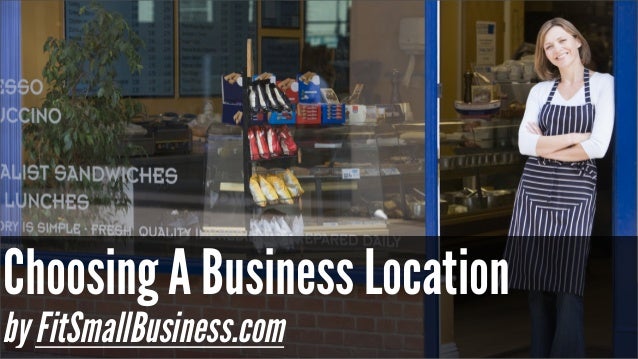
Monday, November 9th- 8th Grade- Concept Development Phase- Choosing a Location


Interlocking AT.jpg
Archdale-Trinity Middle School
Lesson Plan
 
Date: 11-09-2015


Teacher:
Witkowski

Lesson/Unit Topic:
The Entrepreneurial Process-
Concept Development Phase

Standards:
NCCTE.BU20.03.02 Understand entrepreneurship and the entrepreneurial process


“I Can…” Statement

I can explain the different activities in the Concept Development phase of the Entrepreneurial process.
On Thursday, November 19th, there will be a test on the Discovery Phase and Concept Development Phase of the Entrepreneurial Process. 


Literacy/Vocabulary Strategies (Word Wall)
In the Concept Development phase of the Entrepreneurial process
you would choose a business location.


Bell-Ringer/Connecting Strategy
      
     1.  Go to wclassroom.blogspot.com 

    2. Go to your lunch number- Open 3.02 Bellringer Discovery Phase and complete
         Day 7 

     3.  Go to  Computer- Student Doc- Witkowski folder- Exploring Business Folder-
          Entrepreneur Folder- then open 3.02 Entrepreneurship 
           
Lesson-Instructional Strategies and Procedures for Teacher and Students
(Detailed Plans Including Best Practices, Researched Based Strategies)
Guided Lesson: 

@ Students will learn what a business plan is
      Bizkid$: Have a plan  https://www.youtube.com/watch?v=NVYp3awrOgs

@ Students will learn about choosing a good business location
     New Business Tips:  How to choose a location for a business
      https://www.youtube.com/watch?v=VwHK-spBuh4
 @ Demographics of business locations http://www.census.gov/cbdmap

Independent Exercise: 
@ Students will create a business route for their food trucks
•       Your Goal, Using Google Map: 
•       Plan out a 10 to 20 mile route (Archdale, Trinity, High Point, or Greensboro area)
•       Stop at 10 to 20 establishments
•       Time Frame should be no more than 3 hours
•       You want the maximum number of customers for your food truck.
•       Screen print your route to a Word document and insert a text  box to explain your choices!
 
Previous Work:

@ Students will create a Discovery Phase 8 slide PowerPoint.
  Rubric: 
   Each slide is worth 10 points,
    5   points for complete definition sentences and 5 points for appropriate image

    5   points for your name on the first slide
    5   points for spelling
    10 points for creativity- 
     it looks nice and has at least one animation AND transition per slide

@ Students will complete Demographics exercise
     
http://quickfacts.census.gov/qfd/states/37/37151.html 


@ Complete the Food Truck Marketing Trends worksheet. http://network.intuit.com/wp-content/uploads/2012/12/Intuit-Food-Trucks-Report.pdf


@ In YOUR OWN WORDS and using the facts from the worksheet, write a paragraph (at least 6 sentences) about your AVERAGE customer.

@ In pairs, read the link below titled "Sneaker Wars" by the Washington Post
     and list different facts/trends about sneakers.
https://www.washingtonpost.com/news/business/wp/2015/03/17/how-sneaker-kings-are-fighting-to-win-the-war-for-americas-feet/


FOOD TRUCK SURVEY 
•You need to create a food truck survey. 
                 You may look at the 2 examples in the above links
                  or go online and google Food Truck Survey for ideas

•Use a word document.  ONE page only!
•Have 10 questions with correct spelling/grammar.  
                  The questions may be multiple choice or fill in the blank.
•Have clip art or pictures.
•Have your name & your food truck’s name on it.   
@ Students will take notes on the Discovery Phase. http://www.slideshare.net/afzaalali14/chapter-2-entrepreneurship-lecture-3 


Saturday, November 7, 2015

Monday, November 9th- 7th Grade- Finish Spreadsheet Unit and Review PowerPoint 10 steps


Interlocking AT.jpg
Archdale-Trinity Middle School
Lesson Plan
 
Date: 11-09-2015


Teacher:
Witkowski

Lesson/Unit Topic:
PowerPoint- Review of Purpose, Appropriate Content  and 10 Steps for developing a presentation.

Standards:
PB-1 Characteristics of Content Appropriate/Inappropriate
PB-2 Procedure for developing a presentation


“I Can…” Statement
Criteria for Success-Formative/Summative Assessments
I can explain appropriate content for a presentation. I can use the 10 steps for developing a presentation.
Students remember presentation information during review.


Literacy/Vocabulary Strategies (Word Wall)

Step 1- Determine the purpose or focus of the presentation (educational, persuasive, or narrative)
Step 2- Identify the target audience
Audience
http://en.wikipedia.org/wiki/Audience

Bell-Ringer/Connecting Strategy

1. Go to wclassroom.blogspot.com
2. Get out your Chart component worksheet
3. Open the Chart Component PowerPoint
4. You need a pen or pencil

Lesson-Instructional Strategies & Procedures for Teacher and Students
(Detailed Plans Including Best Practices, Researched Based Strategies)


Guided Practice:
@ Students will finish the Chart Components Worksheet
@ Open the 1 Presentation Purpose powerpoint
@ Open the 4 Presentation Procedures Revised powerpoint
@ Open the 3 How to make effective presentations powerpoint

Independent Exercise:
@ If you were absent Friday, take the test http://www.quia.com/hm/174125.html?AP_rand=19139139&playHTML=1
@ Students will take the 10 step  challenge.
@ Students will teach one of the concepts reviewed today to their peers

Homework:
Students need to decide for which Persuasive topic
(an item for sale or a charity raising money) they
would like to use for their Persuasive Purpose project.


Higher Order Thinking Questions

What are the different purposes of a PowerPoint presentation?

Student Technology/Differentiation

Students will use PowerPoint to learn different presentation skills

Closure Strategy


Optional: To study the 10 steps of a presentation

Exit Activity #10: 10 steps Matching Game (Easy)         

Exit Activity #11: 10 steps create a picture game- (Medium)
must complete picture within 2 attempts

Exit Activity #12:
Knowing the 10 steps (Hard).


Lesson Reflections